Cutting a cloud bill is easy. Switch off a few servers and the invoice drops by Friday. Cutting it without slowing down the systems your business runs on is the hard part.
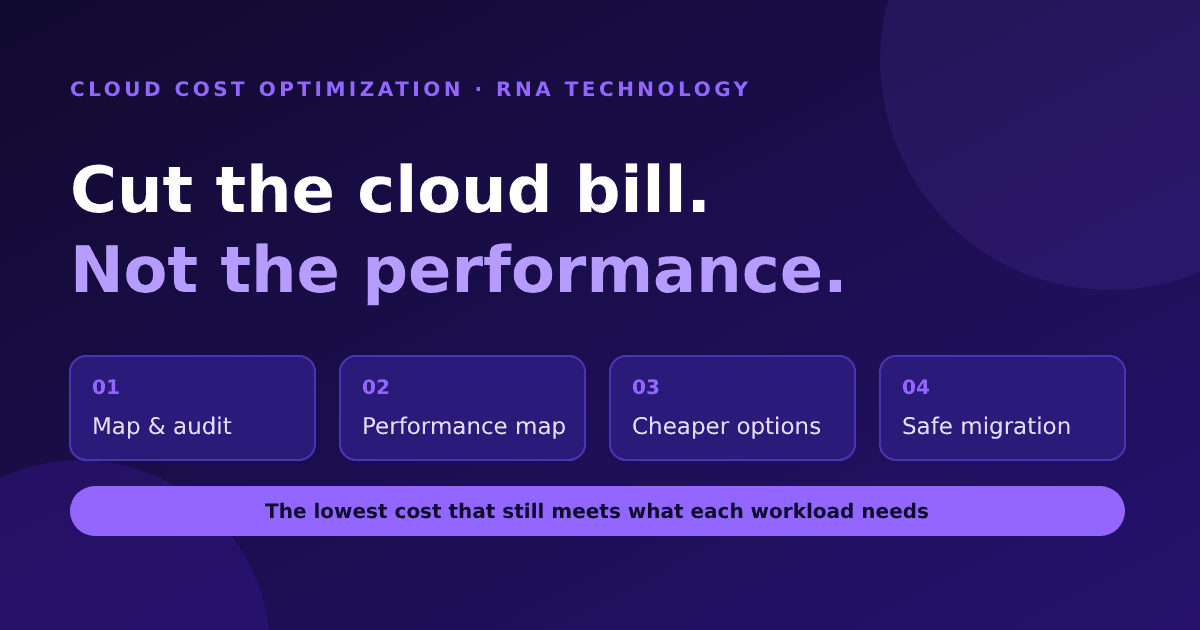
At RNA Technology, we help companies across lower their cloud costs as part of our cloud consulting and migration work. Our rule for cloud cost optimization is simple: the goal is not the smallest bill, it is the lowest cost that still meets what each workload needs. This article walks through the four steps we use, plus the wider best practices we apply around them.
Why cloud cost optimization matters more every year
Cloud spend in our region keeps climbing. IDC projects Asia/Pacific (excluding Japan and China) public cloud services spending to grow from $53 billion in 2024 to $131 billion by 2029, a 19.8% compound annual growth rate over 2025 to 2029, driven in part by AI adoption.
The people who run these budgets are already focused on the problem. In the FinOps Foundation’s State of FinOps 2026 survey (1,192 respondents, representing more than $83 billion in annual cloud spend), workload optimization and waste reduction remained the single top current priority for FinOps teams.
The same survey carries a warning that matches what we see with clients: many teams have already picked off the “big rocks” of waste and now face a high volume of smaller opportunities. That is where a structured process beats a one-off clean-up.
Our 4-step cloud cost optimization process
The four steps below line up with the Inform, Optimize, Operate cycle used in the FinOps Framework: understand what you have, work out what it needs, find cheaper ways to meet that need, then change things safely and keep watching.
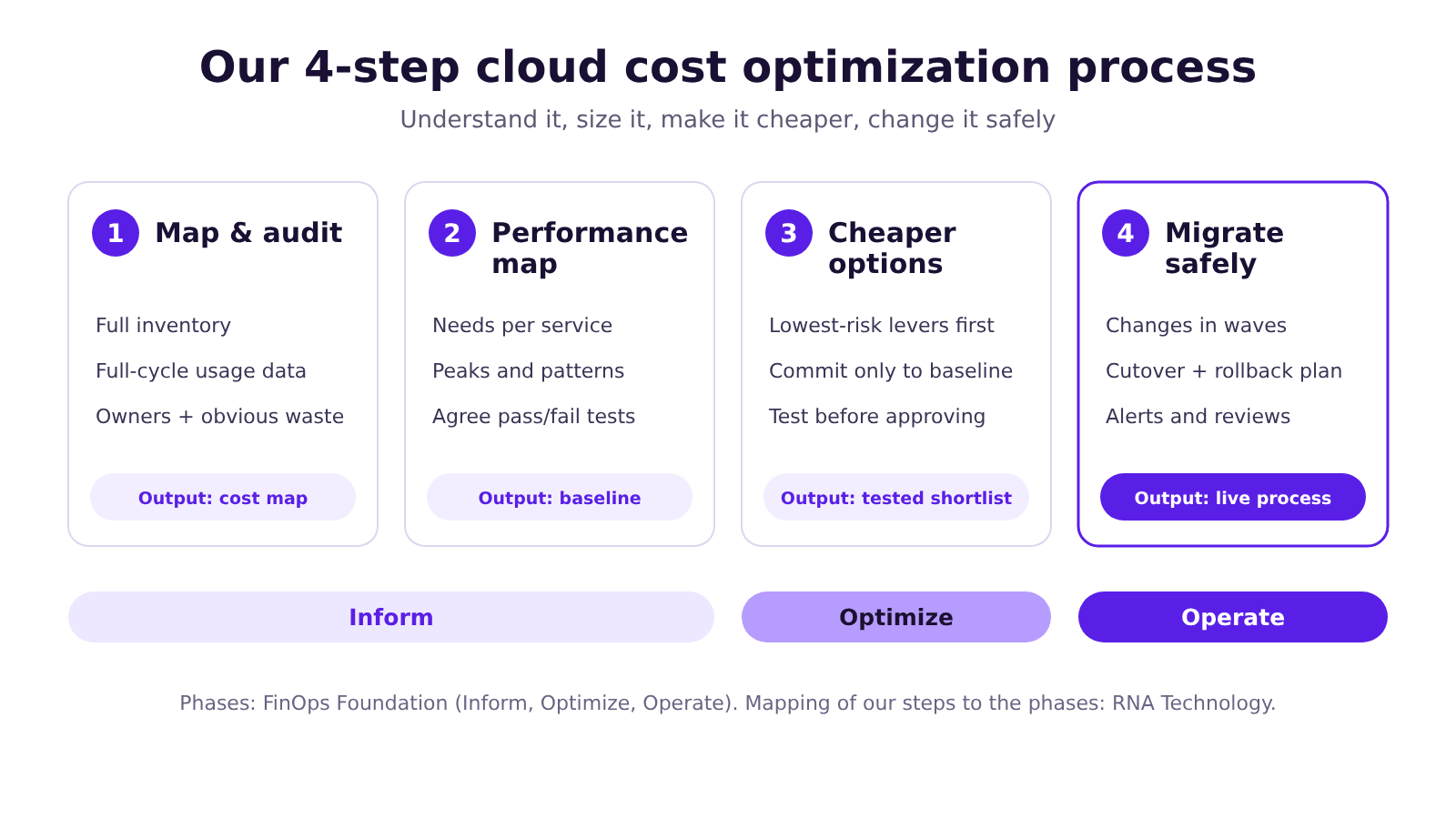
Step 1: Map and audit your current cloud services and usage
You cannot optimize what you cannot see. We start by building a complete picture of what is running and what it costs:
- Inventory: every account, subscription, instance, database, storage volume, network component and managed service, across providers if you use more than one.
- Usage over time: utilization measured across a full business cycle, not a quiet week. A system that looks idle on a Tuesday can be critical at month-end.
- Ownership: which team or project each resource belongs to. Untagged resources are usually where the waste hides.
- Obvious waste: idle instances, unattached volumes, forgotten snapshots, oversized non-production environments, and licences or seats nobody uses.
- Hidden cost drivers: data transfer between regions and services, which rarely shows up in anyone’s mental model of the bill.
The output is a map your finance and engineering teams can both read: what you run, who owns it, and what it costs.
Step 2: Performance mapping, working out what each service needs
This is the step most cost-cutting projects skip, and the reason many of them fail. Before we change anything, we document what each service needs to perform well:
- Requirements by service and volume: CPU, memory, storage speed, network throughput and latency targets, based on real traffic.
- Peaks and patterns: daily, weekly and seasonal demand, such as month-end closing, payroll runs or promotion campaigns.
- The binding resource: the one that limits each workload. In a published analysis of about 48,000 virtual machines in SAP’s private cloud, researchers found CPU significantly overprovisioned, while memory requests were better aligned with real usage. That is one operator’s private cloud, not a universal rule, but it shows why sizing decisions should follow measured data rather than habit.
- Collect memory data: memory is often not collected by default and has to be switched on, for example through a monitoring agent. In a FinOps Foundation article, AWS’s Rick Ochs notes that without memory metrics, AWS Compute Optimizer will not recommend a smaller memory configuration, so you may be leaving savings on the table.
We also agree on the pass/fail criteria for performance up front, before any change is made. If a change fails the criteria, it does not ship.
Step 3: Find more affordable alternatives without compromising performance
With the inventory and the performance baseline in hand, we look for cheaper ways to meet each requirement. The FinOps Framework describes usage optimization as making sure resources are “properly selected, correctly sized, only run when needed, appropriately configured, and highly utilized”. In practice, we work through levers like these, lowest risk first:
| Lever | What it means | Typical risk |
|---|---|---|
| Remove waste | Delete idle resources, orphaned storage, old snapshots | Low |
| Schedule | Switch off dev, test and staging outside working hours | Low |
| Storage tiering | Put rarely accessed data on cheaper storage classes | Low to medium |
| Rightsize | Move consistently underused resources to a smaller size or tier | Medium, needs performance testing |
| Modernize | Newer instance generations, or managed and serverless services where they fit | Medium |
| Rates | Commitment discounts, negotiated pricing, spot capacity for interruptible work | Medium to high if over-committed |
| Region or provider | Move flexible workloads to a cheaper region or provider | Higher, check compliance and latency first |
Risk levels are our working view, not an industry benchmark.
Two cautions we apply on every engagement:
Commitments are not resources. The FinOps Foundation compares commitment discounts to coupons: if nothing matching is running, you still pay. Locking in a one- or three-year commitment before you have right-sized can leave you paying for capacity you have already removed. A FinOps Foundation article on the usage-versus-rates debate recommends doing a little of each in increments, rather than treating one as a strict prerequisite for the other. We commit only to the stable baseline we are confident will still exist.
Test before you approve. A cheaper option only counts if it meets the performance criteria from Step 2, measured under realistic load. If it does not, it stays on the “not recommended” list, with the reason documented.
Step 4: Plan the migration and implementation
Finding savings and capturing them are different things. We build an implementation plan that treats every change as a controlled release:
- Decide what moves, what changes and what stays. Some workloads should be retired, some left alone, some resized in place, some re-platformed. Not everything is worth migrating, and the cost of migrating (engineering time, data transfer, dual-running) is counted against the savings.
- Sequence in waves. Start with low-risk, high-confidence changes, then move to systems with more dependencies.
- Plan the cutover. Maintenance windows, dual-running where needed, validation checks and a rollback path for every change.
- Check compliance. Data residency and sector rules can limit where workloads may run. IDC cites data residency mandates as one of the forces shaping cloud investment in Asia/Pacific, so we check the requirements for each client before proposing any region or provider move.
- Hand over a running process, not just a report. Savings tend to drift back unless someone is watching. We set up budgets, anomaly alerts and a regular review rhythm so the gains hold.
Best practices that keep cloud costs down over time
A good first optimization is not enough. These habits are what keep the bill under control afterwards:
- Tag everything and assign owners. If no one owns a resource, no one will turn it off.
- Track unit costs, not just the total bill. Cost per customer, per transaction or per report tells you whether the cloud is getting more or less efficient as you grow.
- Set budgets and anomaly alerts. A misconfigured job should show up as an alert on day one, not a surprise on the invoice.
- Put guardrails in your infrastructure code. Approved sizes, mandatory tags and automatic shutdown schedules prevent waste instead of cleaning it up.
- Review on a rhythm. The FinOps Framework treats optimization as a loop teams cycle through repeatedly, not a project with an end date.
- Bring AI spend into scope early. In the FinOps Foundation’s 2026 survey, 98% of respondents said they now manage AI spend, up from 31% in 2024. Model choice, batching, caching and token usage are now cost levers in their own right.
- Look beyond infrastructure. SaaS subscriptions and software licences are a growing part of what FinOps teams manage, and unused seats are waste too.
What this approach does not do
We would rather be upfront about the limits:
- We can share typical ranges from past work, but we do not promise a specific saving until we have seen your environment. It depends on how much waste exists and how tightly your workloads are already sized.
- Some environments are already well run, and the honest finding is that there is little to cut.
- Good optimization takes time to measure properly. A rushed audit tends to produce changes that get rolled back.
Key takeaways
- The goal is the lowest cost that still meets each workload’s performance needs, not the smallest bill.
- Audit first: you cannot cut what you cannot see, and one quiet week is not representative.
- Map performance requirements before touching anything, and agree pass/fail criteria in advance.
- Remove waste and schedule non-production first. Commit to discounts only for the stable baseline.
- Treat migration as a series of controlled releases with rollback plans.
- Keep going: budgets, alerts, unit costs and regular reviews stop the savings from leaking back.
Frequently asked questions
What is cloud cost optimization?
It is the practice of making sure every cloud resource is the right size, runs only when needed, is bought at the right price and is used well, while still meeting performance and compliance needs.
How long does a cloud cost audit take?
It depends on the size and complexity of the environment, and on how much history is needed to capture your busy periods. We scope this with you before starting.
Will optimizing our cloud slow down our systems?
It should not. We define performance criteria for each service before any change and test every proposed change against them. Changes that fail the test are not made.
Do you only work with one cloud provider?
No. Our process is provider-neutral. We work across AWS, Google Cloud and Azure, and recommend what fits each workload.
Should we buy reserved instances or savings plans first?
Not necessarily. Commitments only save money for resources that keep running, so we generally right-size and remove waste in parallel and commit only to the stable baseline.
Is it worth migrating to a cheaper provider or region?
Sometimes. We weigh the saving against migration effort, performance, latency and data residency requirements. For many workloads, staying put and right-sizing is the better answer.
Talk to RNA Technology
RNA Technology is an AI automation and cloud consultancy serving businesses in Singapore, Indonesia and across Southeast Asia, and an AWS Advanced Tier Services Partner. If your cloud bill keeps growing and nobody can say exactly why, book a free 30-minute cloud cost review or see how our cloud engagements work.
Sources
- AI and Digital Transformation Drive Asia/Pacific* Public Cloud Market to $131 Billion by 2029 — IDC, 11 August 2025 (excludes Japan and China) — idc.com
- State of FinOps 2026 Report — FinOps Foundation, 2026 — data.finops.org
- FinOps Phases (Inform, Optimize, Operate) — FinOps Foundation — finops.org
- Usage Optimization (FinOps Framework capability) — FinOps Foundation — finops.org
- Rate Optimization (FinOps Framework capability) — FinOps Foundation — finops.org
- The Great Debate: Optimize Usage or Rates First? — FinOps Foundation (R. Ochs, M. Fuller), 5 February 2024 — finops.org
- The SAP Cloud Infrastructure Dataset: A Reality Check of Scheduling and Placement of VMs in Cloud Computing — arXiv preprint, 2025 — arxiv.org